Contributors


Promote your music
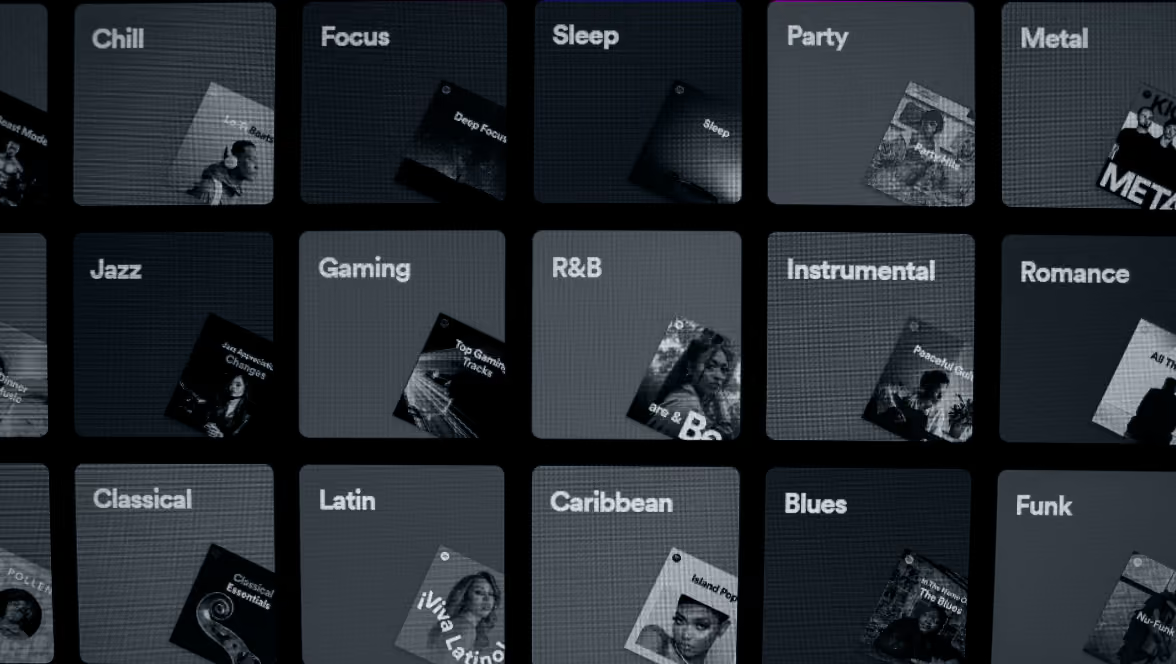
Spotify Editorial playlists are one of the most powerful tools for getting your music heard and reaching new audiences.
But many artists are asking the same question: how do they work?
Spotify’s playlists fall into different categories.
First of all, algorithmic playlists. These are playlists such as Discover Weekly, Release Radar and even mix playlists. These playlists take your listening habits and behaviours and create a personalised playlist for you.
Second, user-generated playlists, which, as the name suggests, are playlists made by users on Spotify.
Finally, editorial playlists. Unlike algorithmic and user-generated playlists, these are curated by Spotify’s in-house team of music editors and are selections of hand-picked tracks to create a certain mood, vibe or genre.
Spotify’s editors are real people, with real taste, deciding which tracks make the cut. Editorial playlists, like New Music Friday, Lofi Beats, Dreamy Forest Music, and thousands of others tend to have bigger followings and more engaged audiences than user-generated playlists - which means that landing a spot on one can expose your music to millions of new listeners.
And for independent musicians, this is a game-changer.
Before you even think about writing a pitch to Spotify’s editorial playlists, there are a few things to think about.
First things first, you will need to be signed up to Spotify for Artists.
This is where all the pitching happens, and without it, your release won’t stand a chance of getting on editorial playlists.
To access Spotify For Artists, you will need to be working with a music distributor (just like us) and claim your artist profile. This is a completely free app where you can view all your music stats and access promotional features, like Canvas, Spotlight and more, that can help you to reach new audiences and gain fans.
Spotify Editors will look at your profile when reviewing your pitch, so if you have a half-finished biography or blurry cover photo, or missing social media links, it’s time to update your profile!
A simple checklist when updating your Spotify Profile:
Once you’re happy that your profile is fresh and accurate, it’s time to start pitching!
One thing that often catches artists off guard is when to pitch to Spotify. Planning is your best friend when it comes to Spotify pitching!
Spotify has strict pitching deadlines: your track must be pitched at least 7 days before release date to be included in Release Radar and other editorial playlists. Which means, unfortunately, that you need to plan your release schedule in advance!
You can’t pitch a track after release date and you can’t pitch a track that’s been released on Spotify before, unless it’s a new version.
Also bear in mind that Spotify only allows 1 live pitch at a time. If, for example, you have a track releasing on 1st September and you submit the pitch for that track on 1st July, you won’t be able to pitch any other releases on Spotify until after 1st September. If you’re releasing singles frequently, make sure there’s at least 7 days between release dates - so that you can pitch the next release after the last has cleared and still meet Spotify’s 7-day deadline.
Unfortunately, if you miss the 7-day deadline, so there’s no way to pitch. Spotify receive hundreds of thousands of pitches, so there’s no shortage of pitches to review - if you miss the deadline, there are no exceptions made for anyone! It's a tough pill to swallow, especially after all the work that goes into a release, so it's really worth building this into your plan from day one.
Our biggest piece of advice? Set a reminder the moment you lock in your release date with your distributor. Don't leave it as an afterthought. And if you're an Identity Music client, as long as you send us a pitch request at least 3 to 4 weeks before your release date, we'll take care of everything for you, so you can focus on what you do best.
When it comes to writing your Spotify pitch, there's no magic formula, but there are definitely things that can make yours stand out from the crowd. Think of it this way: you're not just filling in a form, you're selling your music to a real person who listens to hundreds of pitches a week. So make yours count.
The pitching form itself gives you a lot to work with. Fill in as much as you can: genres, moods, instruments, lyric themes, artists you sound like, and playlist recommendations. The more detail you give, the easier it is for an editor to picture exactly where your track fits.
Ask yourself, where would someone most likely listen to this song? On a late-night drive? In a yoga class? At a house party? That kind of context is genuinely useful for editors who are trying to match tracks to the right playlists and the right audiences.
But beyond the technical details, the most important thing is that your pitch sounds like you. Be authentic, be specific, and don't be afraid to tell the story behind the track. What inspired you to write it? What does it sound like, and how does it make you feel? Worth noting, Spotify for Artists gives you just 500 characters to say all of this, so every word needs to earn its place. Get to the point quickly, cut anything vague, and make sure the most important details are front and centre.
To give you an idea of what a strong pitch looks like in practice, here's an example of one we might submit on behalf of a client:
‘This Release’ is a captivating journey into sound, blending expressive piano with deep, dark ambient textures. This track engages the listener, creating a vast cinematic world that is at once deeply personal and boundless. Inspired by a trip down memory lane, it's a fusion of classical emotion and dark ambience, crafted for immersive listening. Perfect for ambient piano, cinematic and deep focus playlists, and ideal for editorial homes like Dark Ambient, Liminal and Movements on Spotify.
See how it covers the mood, the instrumentation, the inspiration, and even suggests specific playlists? That's exactly the level of detail that gives your pitch the best possible chance, all within the 500 character limit.
So you've set up Spotify for Artists, written the perfect pitch, and submitted it well ahead of your release date. What next?
First of all, congratulations! A lot of artists skip this step entirely, so just being here puts you ahead of the game. But now comes the hard part: the wait.
Unfortunately, Spotify won't notify you if your pitch hasn't been successful, which can feel a little disheartening. But don't let that discourage you. If your track doesn't get picked up editorially, Spotify's algorithmic playlists like Discover Weekly and Release Radar can still place your music in front of the right listeners.
If your pitch is successful, you'll receive a notification to your registered email address, or you can check directly in Spotify for Artists on release day. Landing an editorial spot can boost your streams by anywhere from a few thousand to hundreds of thousands, depending on the playlist size. And if this release doesn't land one? Keep going, every pitch is a learning experience and every release is a new opportunity.
And don’t forget: if you’re an Identity Music artist, you can access our done-for-you editorial pitching services. We write tailored pitches for each DSP and get your releases pitched by all platform deadlines - as long as we receive your pitching request in time!